Proxy Setup Instructions
🌐 Step 1 – Create your proxy link
Replace USERNAME with your own username:
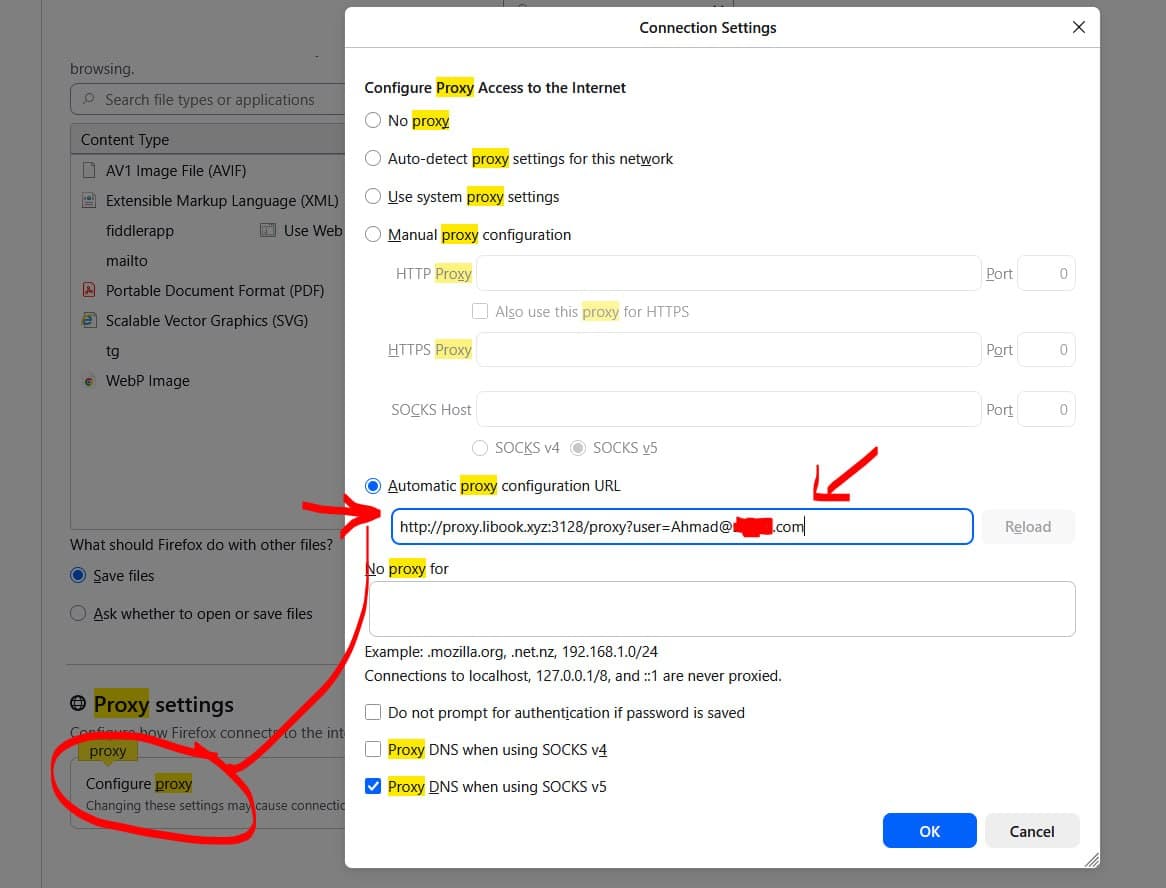
http://proxy.libook.xyz:3128/proxy?user=USERNAME
Example:
http://proxy.libook.xyz:3128/proxy?user=ali123
⚙️ Step 2 – Set proxy on your device
Chrome / Edge:
Settings → Proxy → Enable “Use setup script”
Paste the link → Save
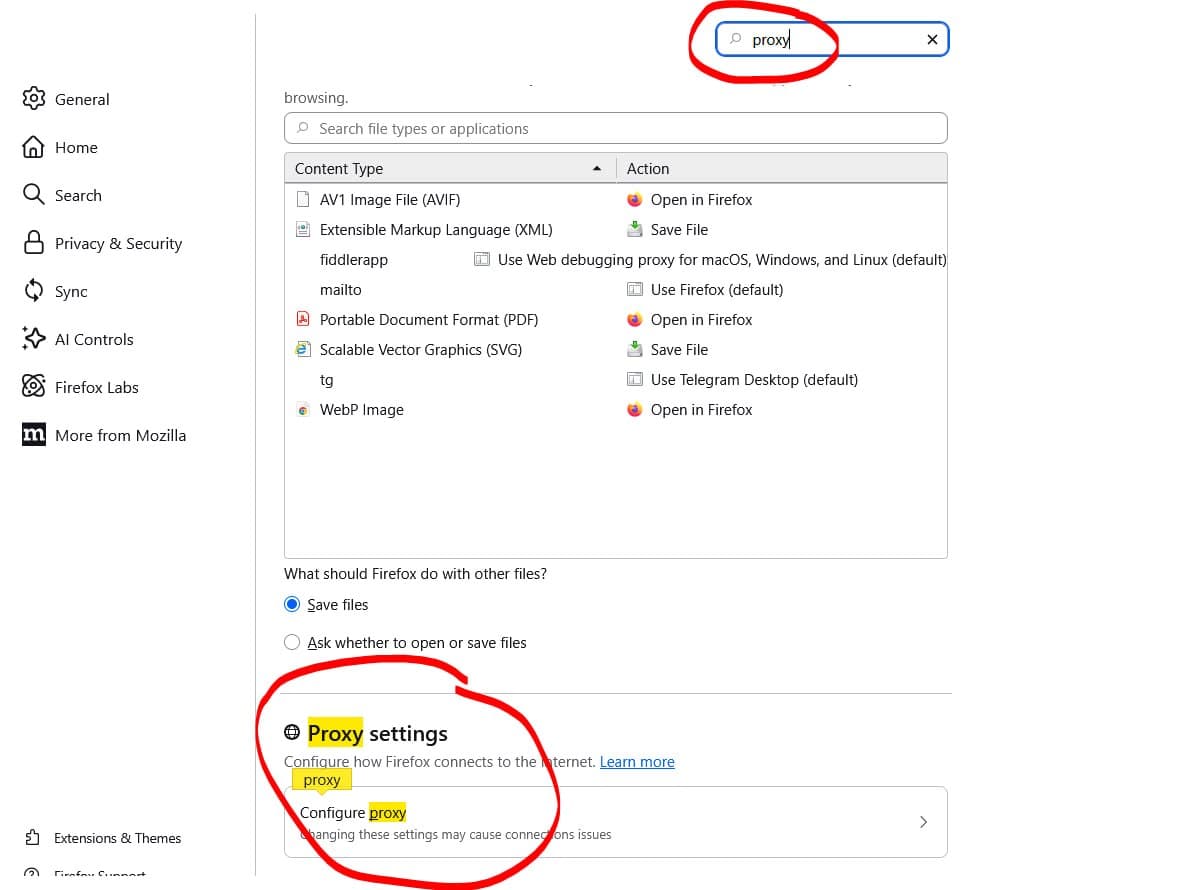
Firefox:
Settings → Network Settings
Automatic proxy configuration URL
Paste link → OK
iPhone / iPad:
Settings → Wi-Fi → Your network
HTTP Proxy → Automatic
Paste link → Save
Android:
Wi-Fi → Modify network
Proxy → PAC
Paste link → Save
🌐 Step 3 – Go to the website direct URL
For example: https://link.springer.com. Log in with your previous username and password when prompted.
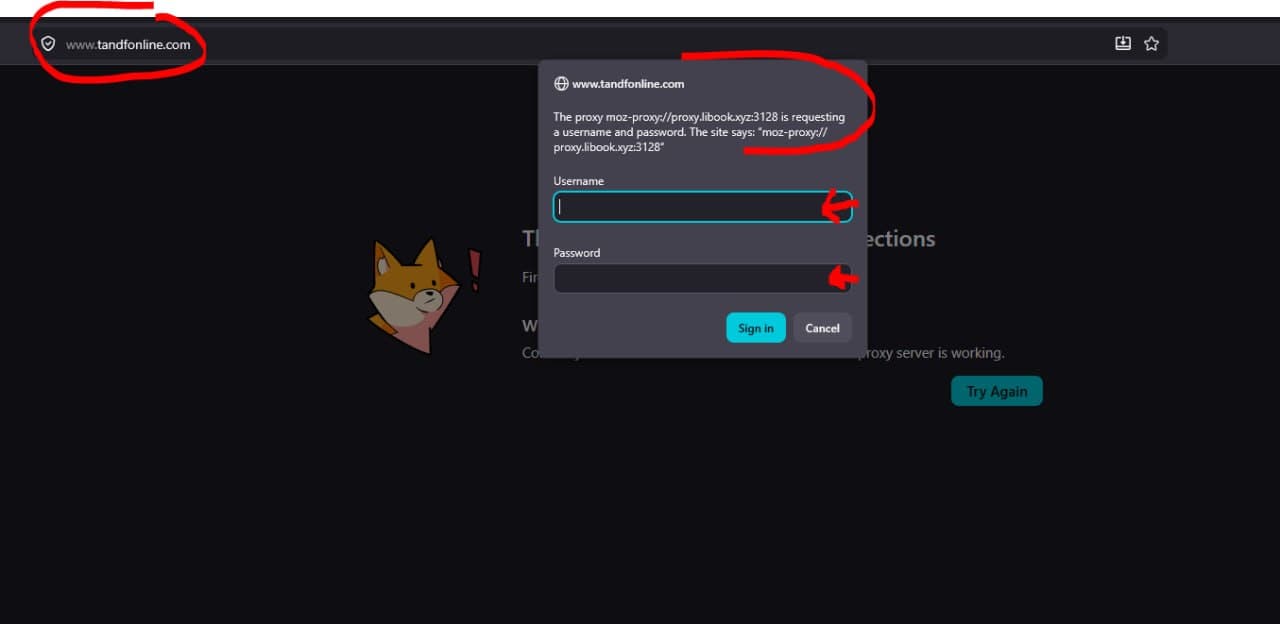
✅ Done. You are connected.
To change the PDF access, use Ctrl+F5.
Databases using proxy.pac access
https://www.scopus.com
https://www.webofscience.com/wos/woscc/smart-search
https://www.sciencedirect.com
https://www.nature.com
https://ieeexplore.ieee.org
https://www.emerald.com
https://www.tandfonline.com
https://link.springer.com